
 Android Smartphone Compatibility List
Features
Button actions for Music Players
- Play/Pause music
- Jump to Next or Previous Track
- 2X Jump to Next or Previous Track
- Volume up, Volume down
- Launch app (e.g. Spotify, Power Amp,
Google Play)
Supported Online Music Players
- Spotify – Free
- Tuneln Radio – Free
- SoundCloud – Free
- Wimp – Subscribe
- Deezer – Subscribe
- Youtube – Free
- Grooveshark – Free
- Rdio – Try&Buy
- Amazon MP3 Player
- Pandora Player – Free, US only
Button actions for Phone Calls
- Answer/Hang Up Phone Call
- Reject Call
- Redial Last Number
- Mute/Unmute Microphone
Supported Offline Music Players
- Google Play Music – Free
- Winamp Player – Free
- MixZing – Free
- PowerAmp – Try&Buy
- NRG Player – Try&Buy
- Amazon MP3 Player
- Samsung – Music Player
- Sony – Walkman
- HTC – VPlayer
- LG– Music
- Motorola – Music
- Lenovo – Music
- Huawei – Music
- ZTE – Music
- XiaMi – MUI Music Player
Settings
- One or Three Headset Button Selection
- Language Selection
- Default Music App Selection
- Default Volume Setting
- Click Delay Setting
Configurable click combinations
- Single/double/triple/quadruple click´s
- Single/double/triple click and hold (Reserved by Google Now in OS 4.1x)
Unique Features
- OEM Customisation for Logo, Icon and Colours available.
- Click on Logo to visit Company page.
- 30+ Localized Language translations
Examples: English, Chinese, Swedish, Korean, Russian etc
See full language list here
Other Comands
- Say Current Time
- Voice Command
- Voice Search
Screenshots
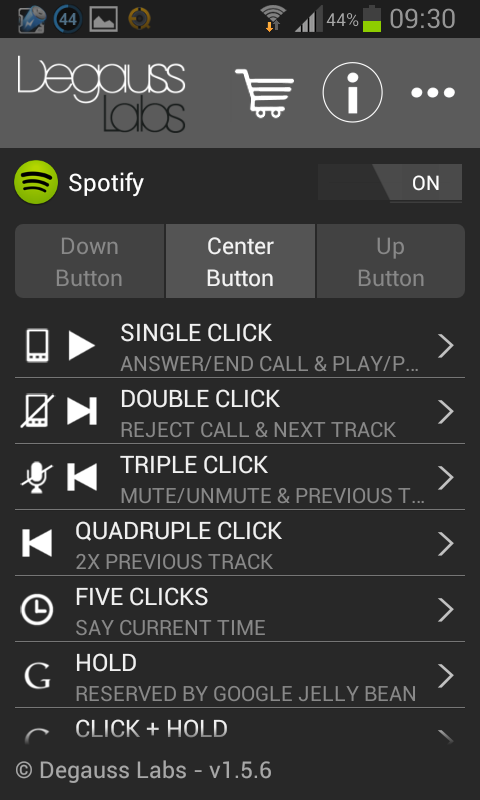
Home Screen
The start screen lets you reach the online Help, the Settings Screen and Directly Configure button actions. Click on the Logo to visit the Online Store
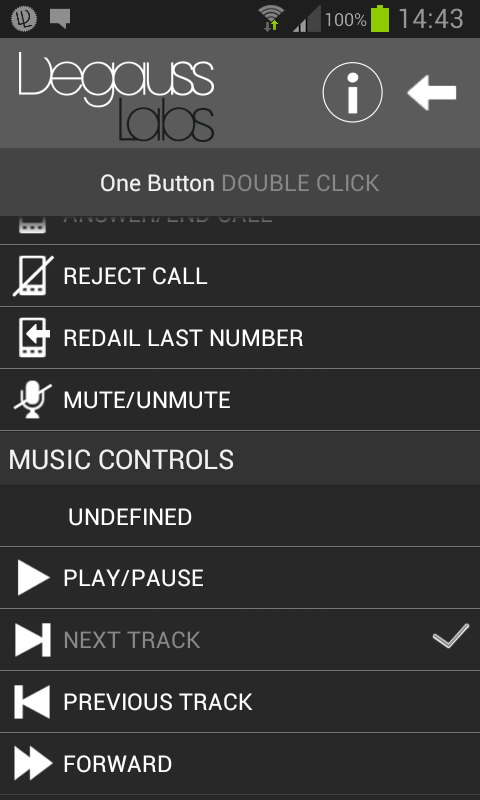
Three buttons
Change button action by touching the desired row in the Home screen. The button Actions Screen will appear. Select the desired action for the button. Each button click sequence can have a phone call command and music/another command.
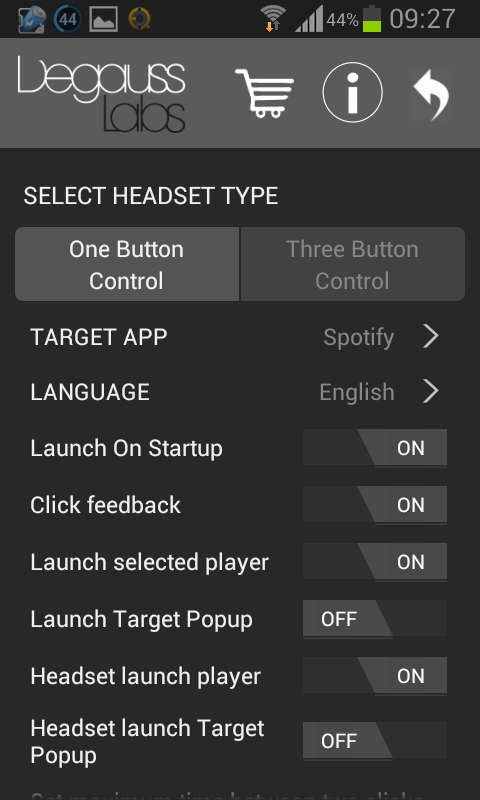
Settings
The settings screen lets you select desired Music Player to control. You can also select One or Three Button headset, select language, start volume and click detection delay.
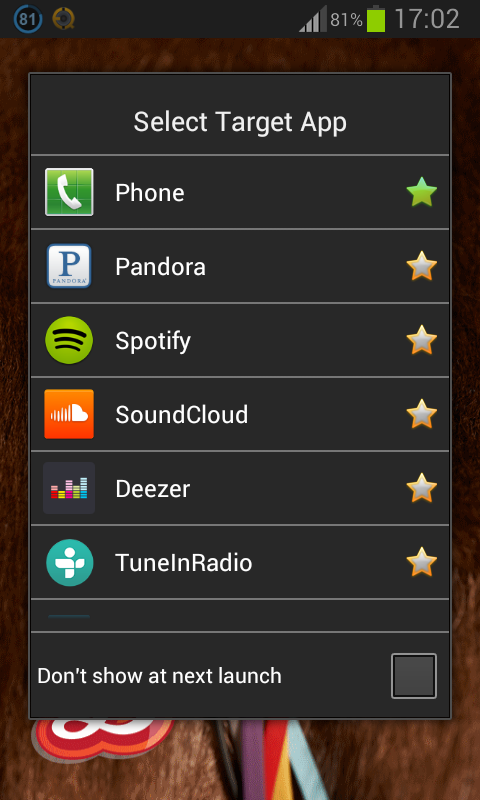
Choose your app
Lets you choose if you want the app to control a specific media player, this is where you decide which one. If no media player is chosen the app will instead, on most phones, control the player last used or the Android default media player.
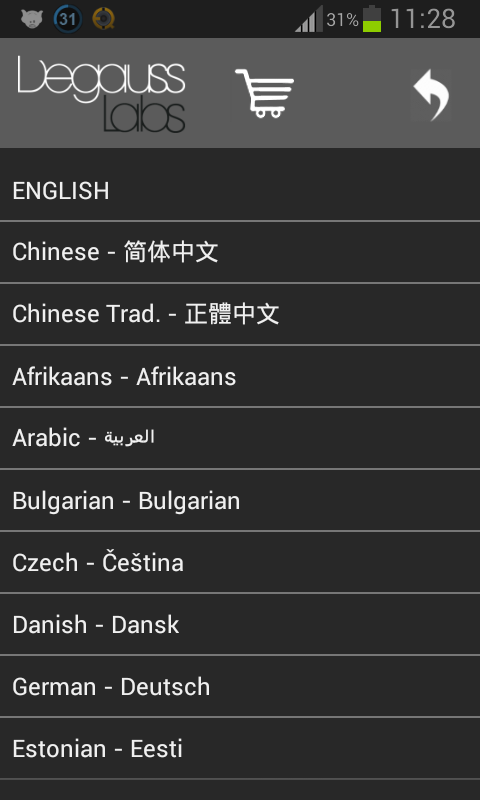
In your language
The language is set by the auto detection of the phone language. But this setting let’s you select your preferred language.